Download AccordMix for Mac and Windows.
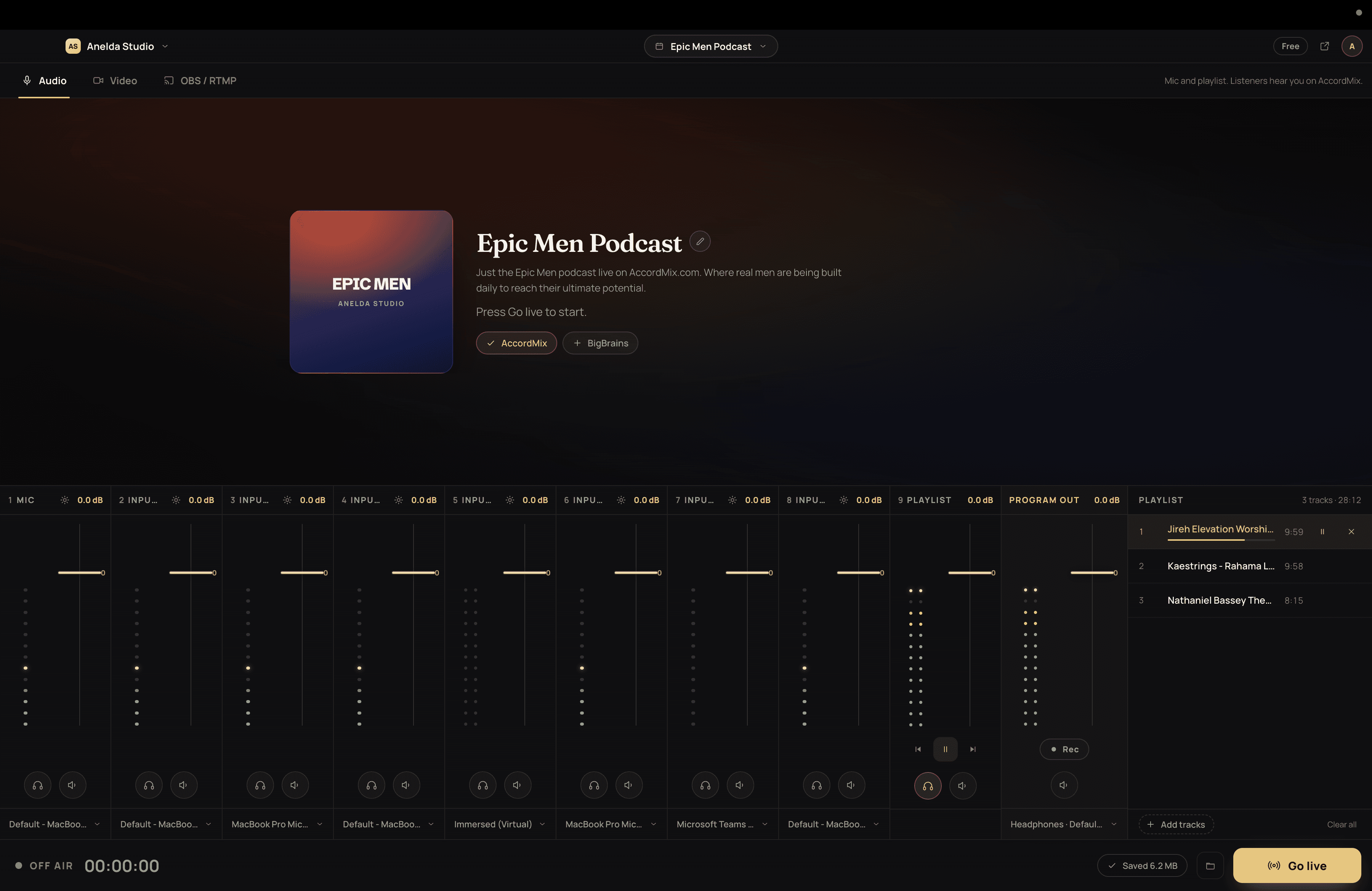
The broadcast desk. Up to eight inputs, headphone cue, recording on your computer, OBS control, and one feed to every destination. Free to download. Sign in with your AccordMix account.
Choose your platform
Windows may warn that the publisher is unknown. Choose More info, then Run anyway. Why
Not sure? Apple menu, About This Mac: Chip means Apple Silicon, Processor means Intel.
Or start in your browser, nothing to install.
Version 0.1.8 · Released 11 Oct 2026
Requirements
- macOS
- macOS 13 Ventura or later. Choose the Apple Silicon or Intel download for your Mac.
- Windows
- Windows, 64-bit. Windows shows a warning the first time you open the installer; see the note below.
- Both
- An AccordMix account, which is free. A microphone or audio interface. An internet connection to go live; recording to your computer works without one.
What you get
Everything on this list ships in the app today. None of it depends on your plan.
- Up to eight named inputs mixed into one feed, with faders, meters, mute and cue on each
- Audio interfaces with several channels show up as separate inputs
- Headphones on a different output from what listeners hear
- Cue any source before it goes to air
- A playlist for music under your voice, from files on your computer, remembered between sessions
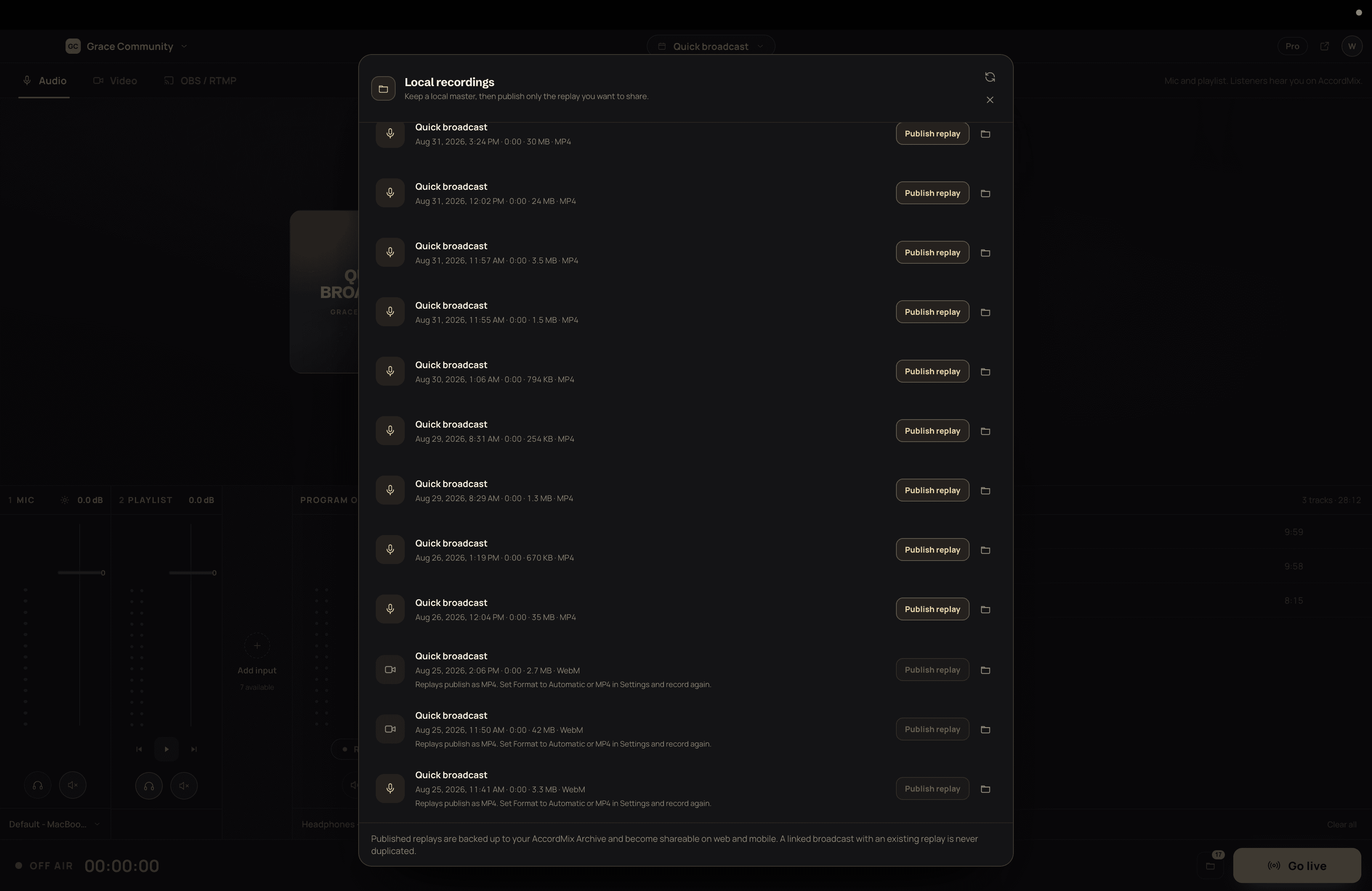
- Your mix saved to your computer every few seconds, even if the internet drops, and published as a replay afterwards
- Your camera, or any screen or window
- Connects to OBS, fills in your stream settings for you, and can start and stop OBS streaming
- Reconnects on its own if the connection drops, tells you plainly when it cannot, and picks your broadcast back up if the app restarts
- Your sign-in kept in your computer's secure storage, updates that wait until you are off air, and crash reports only if you say yes
First run
- 01
Install
Open the download. On a Mac, drag AccordMix to Applications. On Windows, run the installer and choose More info, then Run anyway, when Windows warns you.
- 02
Sign in
Sign in with your AccordMix email and password.
- 03
Allow the microphone
Allow the microphone when macOS asks. The camera prompt appears the first time you add one. Screen or window capture needs Screen Recording under System Settings, Privacy and Security; macOS asks the first time and you may need to reopen AccordMix afterwards.
- 04
Build your desk
Add your inputs and cue each one in your headphones. Turn on auto-record in Settings if you want every broadcast saved to your computer.
- 05
Go live
Pick your destinations, set up in the web studio, and go live.
The same account everywhere
Everything you configured in the browser is already here: destinations, events, station, followers and replays. Sign in and start.
Updates
AccordMix checks for updates shortly after launch and downloads them in the background by default. It never installs while you are live or recording; you choose Restart and install when the session is over. Automatic downloads can be turned off in Settings.
Download questions, answered
Yes. The app is free to download and works with every AccordMix plan, including Free. Destinations, stream time and replay retention follow your plan, the same as in the browser.
Ready when you are.
Sign in with your AccordMix account after installing. Everything you set up in the browser is already there.