For churches and ministries
Live streaming for churches, without a production team.
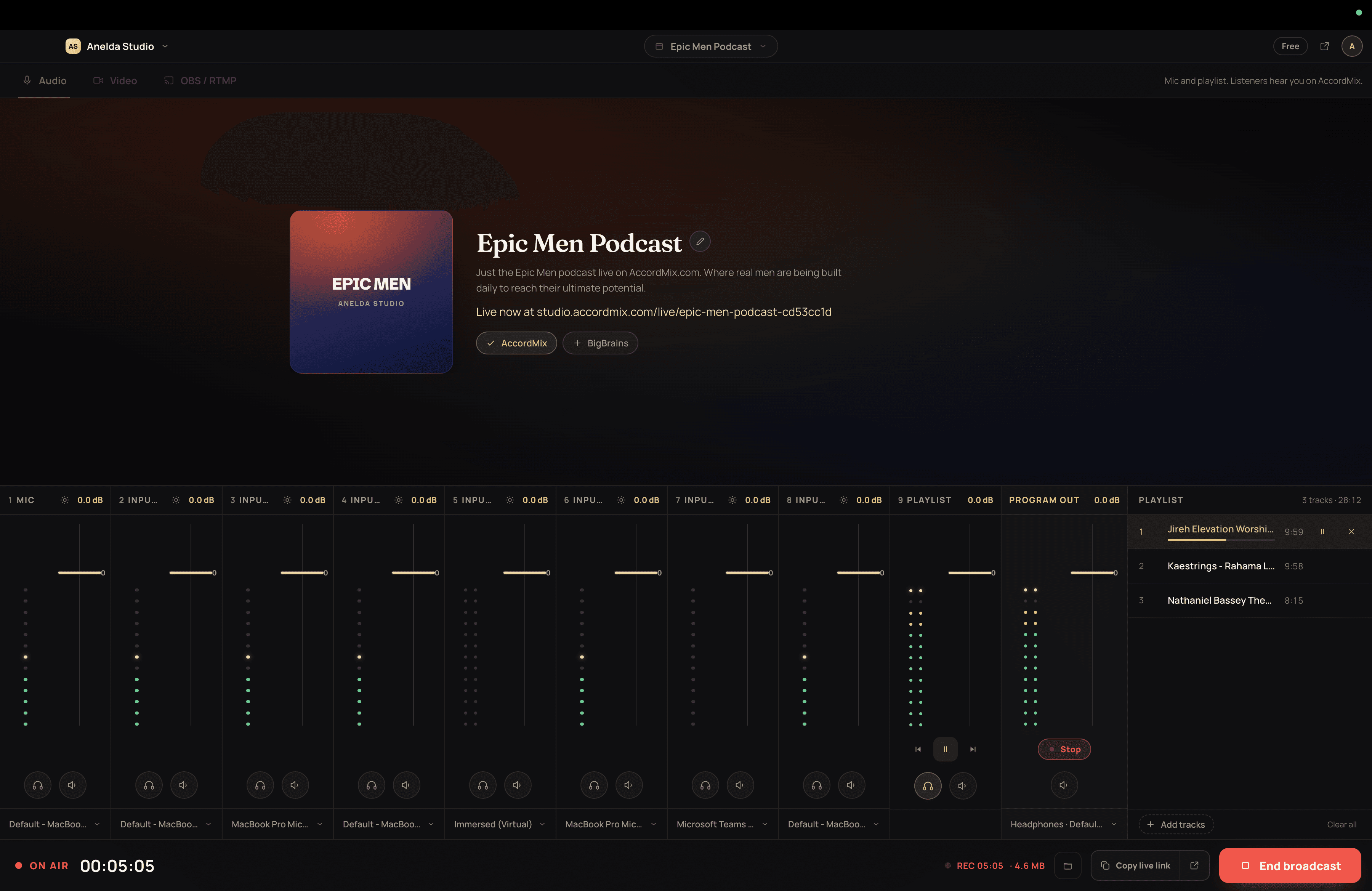
AccordMix runs from one computer at the sound desk. Mix the pulpit mic, the worship team and the announcements, hear it before it goes out, and send one feed to YouTube, Facebook and your congregation's own station page.
Free to start · No credit card · Audio only or with video
Built for a Sunday morning.
Everything here ships today. Nothing depends on a volunteer who knows broadcast software.
One volunteer, one window
Faders, meters and a go-live button in a single app. No control room, no second screen to watch, nothing to install on the church network.
Audio first
Services where the sound matters more than the picture: midweek prayer, Bible study, radio-style teaching. Stream audio only, or add the camera when you are ready.
Audio-only streamingMembers who follow you
Your church gets a station page. Members follow it, get a notification when you go live, chat during the service and find replays afterwards.
Saved even when the internet is not
The desktop app records the service to your computer every few seconds. If the connection drops mid-sermon, the recording keeps going and you can publish it afterwards.
YouTube and Facebook at once
Send one feed and reach YouTube, Facebook and any custom RTMP destination together, on the plan you choose. Connect YouTube once and the listing is set up before every service.
How the relay worksWorks with what you have
An audio interface with several channels shows up as separate inputs. Already streaming from OBS, vMix or a hardware encoder? Point it at your stream key on plans that include it.
A service, start to finish
- 01
Before the service
Open AccordMix, check each mic in your headphones, and load the pre-service music. Name the session and choose your destinations.
- 02
During
Go live with one button. Ride the faders, mute the pulpit between speakers, play the bed under announcements. The recording runs on its own.
- 03
After
Stop the broadcast. Publish the replay so members who missed it can listen, or keep it on your computer.
Start on the Free plan and upgrade when you need more destinations or longer replays. Compare plans.
Church streaming, answered
Yes. Many churches broadcast sound only for midweek meetings, prayer and teaching. Add a camera, a screen or an OBS feed for services where the picture matters.
Your next broadcast starts on your desk.
Free to download for Mac and Windows. No credit card, no waiting on anyone to set it up for you.